Remootio Compatibility Checker
Find out if your gate or garage door opener works with Remootio 3. Search by manufacturer or model below, or get in touch for expert help with unlisted systems.
Is your system compatible?
Enter the manufacturer or model of your gate or garage door opener below. The checker will return a wiring diagram if your system is supported.
Three steps to confirm compatibility
First, find the make and model of your gate, garage door or electric strike system. This is usually printed on a label on the motor unit or control board.
Next, enter your device details into the compatibility checker above. If your system is listed, you'll receive a wiring diagram showing exactly how to connect Remootio 3 to your opener's control board.
If your opener isn't listed, don't worry. Our team at Charged Services specialises in finding solutions for unlisted models and can provide custom wiring diagrams and installation advice tailored to your specific system.
Call us for help: 01375 886299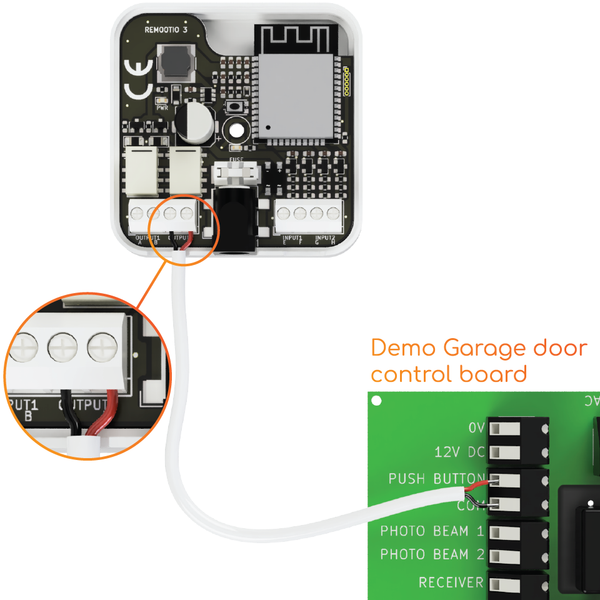
Over 200 brands and counting
Remootio 3 is compatible with a vast range of gate and garage door opener brands including Chamberlain (with a simple workaround for MyQ models), LiftMaster, Merlin, BFT, CAME, FAAC, Roger Technology, Beninca, Nice, Somfy and many more.
With two output relays for separate open and close triggers and a wide voltage range of 5-32V DC and 12-24V AC, Remootio 3 works with most openers manufactured after 1990. It can also be powered from a 5V USB charger if your control board doesn't have a suitable output.
Learn more about Remootio 3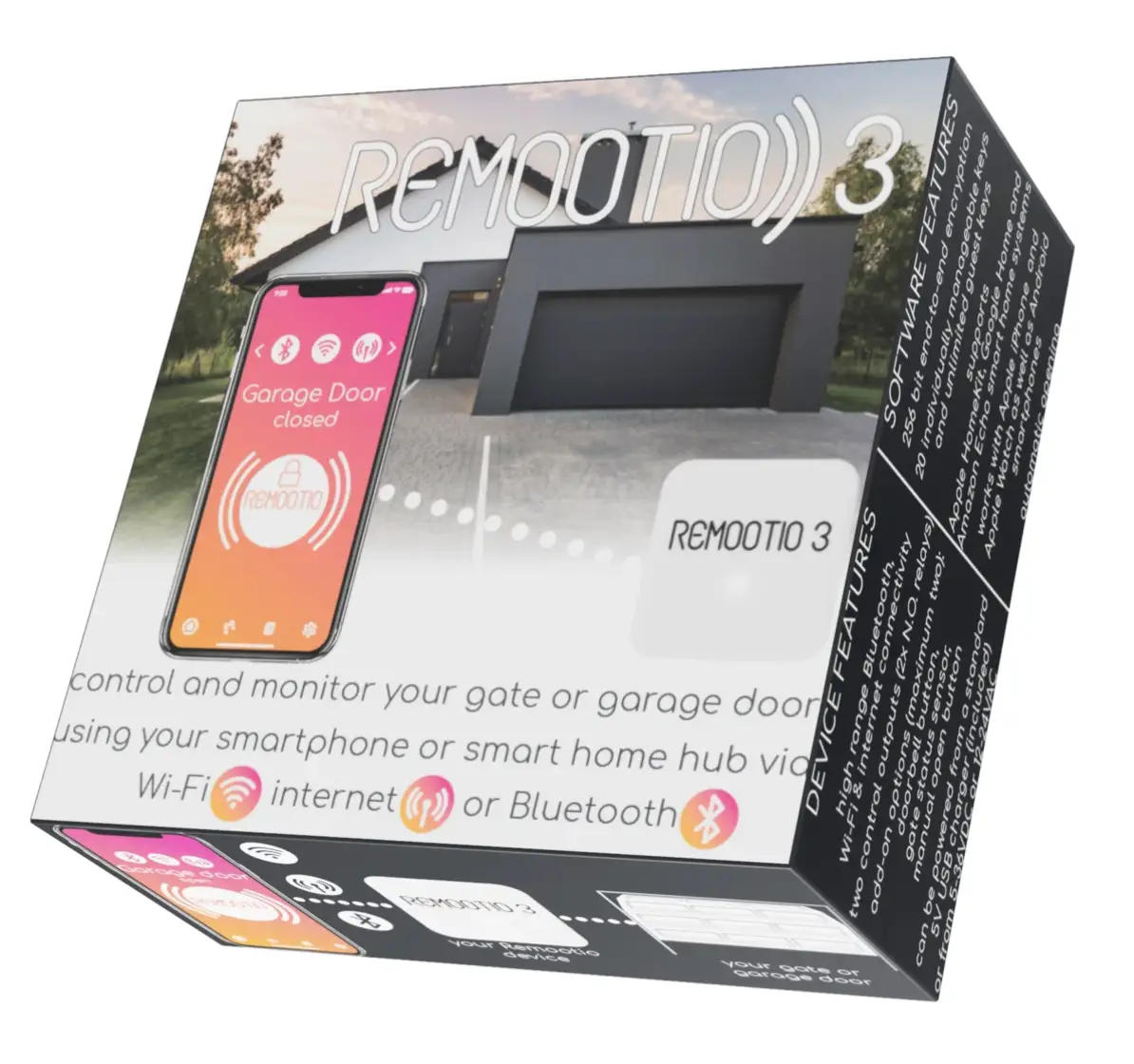
Ensuring a successful connection
Compatibility depends on proper wiring between Remootio 3 and your opener's control board. Before installing, confirm your opener's power supply falls within Remootio's supported range of 5-32V DC or 12-24V AC.
Connect Remootio's relay outputs to your opener's open and close terminals, then mount the included status sensor to track whether your gate or door is open or closed. The sensor is required for SmartThings integration and recommended for all installations.
Once connected, use the Remootio app to verify operation. If you need help at any stage, Charged Services offers detailed installation support including custom wiring diagrams for your specific setup.
View full installation manual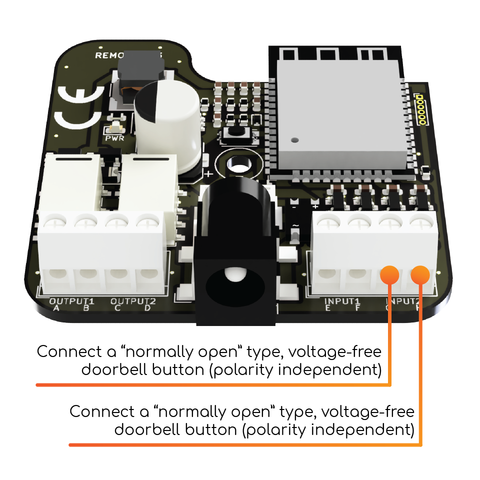
Designed for maximum compatibility
Remootio 3's hardware is built to work with the widest possible range of gate and garage door systems.
Wide Voltage Range
Supports 5V USB, 5-32V DC and 12-24V AC, covering virtually any control board power output you'll encounter.
Dual Output Relays
Two independent relays for separate open and close triggers, supporting both single-button and dual-button control board configurations.
200+ Brands, 1,600+ Models
Extensively tested across Chamberlain, LiftMaster, Merlin, BFT, CAME, FAAC, Roger Technology, Nice, Somfy, Beninca and many more.
Status Sensor Included
Magnetic sensor monitors whether your gate or door is open or closed. Required for SmartThings and recommended for all setups.
Bluetooth & Wi-Fi Fallback
Bluetooth works without internet or Wi-Fi, so even if your opener is in a location with no network coverage, you can still control it locally.
Smart Home Ready
Integrates with Apple HomeKit, Google Home, Amazon Alexa, Samsung SmartThings and Siri Shortcuts straight out of the box.
Wiring notes for popular boards
Practical notes from our own installs. Always isolate the power before working on a control board, and check against the manual for your model.
The three things to check on any board
Remootio 3 is wired in parallel with your existing push button or receiver, so your remotes keep working. Before you start, check three things:
- Power: Remootio 3 runs from 5–32V DC or 12–24V AC from the board’s accessory output, or from a 5V USB supply.
- Command: Remootio’s outputs are volt-free relay contacts. Connect one to the board’s open or step-by-step input and its common, just like a push button.
- Status: the app needs to know whether the gate is open or closed. Use the supplied magnetic sensor, or a volt-free contact on the board that changes with the gate’s position. Do not connect a powered output, such as a 24V gate-open light, straight to Remootio’s sensor input. It needs a relay in between.
Roger Technology B70/1DC (sliding gates)
Connect a Remootio output to the board’s step-by-step command input (PP, terminal 25) and common (COM, terminal 21). For gate status, the B70/1DC’s COR output (terminals 6 and 7) is a volt-free contact that can be set to follow the gate position. The B70/1DC manual sets the COR mode with parameter 20:
- 04: contact closed while the gate is not fully open, open when fully open.
- 05: contact closed while the gate is not fully closed, open when fully closed.
Parameter 20 is only available with low-power mode off (L1 = 00), and setting it to anything other than 00 disables the courtesy light setting (parameter 79). If you need the courtesy light, use the magnetic sensor instead. Do not use the SC terminals (8 and 9) for status: they are a powered 24V lamp output, not a free contact. Parameter lists can change between firmware versions, so always check against the manual for your board.
Roger Technology Edge 1 and other Roger boards
On the Edge 1, connect a Remootio output to the step-by-step input PP (terminal 35), or the open input AP (terminal 33), with common COM (terminal 37). For status, use the volt-free COR contact on terminals 13 and 14 and set parameter 18 to 04 or 05 (only available with L1 = 00). SC (terminals 20 and 19) is a powered 24V lamp output, so do not use it as a contact. On other Roger boards the same approach applies, but parameter and terminal numbers differ, so check your board’s manual.
Ellard Genesis garage door controller
Power Remootio from the controller’s 24V supply. Connect the stripped power lead supplied with Remootio to the controller’s 24V+ (V) terminal, with its 0V wire going to G. Join the black common wires from Remootio’s outputs to G as well, then connect one red output wire to U (up) and the other to D (down). Use the U and D in the external control terminal group. The other U on the board is the photocell input, so do not use it. DIP switch SW7 must be Off (impulse up and down). With SW7 On, down is hold-to-run and Remootio must not be used to close the door. Set the door’s limits on the motor first, then test each output from the app. Check against the manual for your controller.
CAME, Chamberlain and LiftMaster
For CAME boards see our guide to installing Remootio to CAME gate motors. Chamberlain and LiftMaster MyQ openers need the simple workaround covered in the FAQs below.
Board not listed?
Send us a clear photo of the control board and its label by WhatsApp on 01375 886299, and tell us whether it is a gate or a garage door. We can usually tell you which terminals to use.
Remootio 3 on a Roger sliding gate
Watch us wire Remootio 3 to a Roger Technology B70/1DC control panel, including the status connection.
Remootio 3 on an Ellard Genesis in five minutes
A quick install on an Ellard Genesis garage door controller, using the controller’s 24V supply and its up and down inputs.
Want the gate to open as you arrive? See Remootio auto open, HomeKit and Siri.
Common questions
Answers to the compatibility questions we hear most often.
Most likely, yes. Remootio 3 supports nearly all gate and garage door openers manufactured after 1990. Use the compatibility checker at the top of this page to search for your make and model, or contact us for personalised support.
Don't worry. Our team at Charged Services specialises in finding solutions for unlisted models. We can assess your control board, provide custom wiring diagrams and talk you through the connection. Just give us a call or send us a photo of your control board.
Yes. Remootio's Bluetooth mode lets you control your gate or door locally without a Wi-Fi signal. Wi-Fi is only needed for remote access from outside Bluetooth range and for smart home integrations.
Yes. Remootio 3 integrates with Apple HomeKit, Google Home, Amazon Alexa, Samsung SmartThings and Siri Shortcuts. SmartThings integration requires the included status sensor to be mounted.
Yes, with a simple workaround. Chamberlain MyQ models use a proprietary wireless protocol, but Remootio connects directly to the opener's control board terminals, so it does not go through the MyQ system at all. The process is straightforward and fully documented.
Often, yes, if the board has a volt-free contact that changes with the gate’s position, such as the programmable COR output on many Roger Technology boards. Powered outputs, such as a 24V gate-open light, need a relay between them and Remootio’s sensor input.
Some boards need a longer pulse. You can lengthen it with the Output impulse setting in the Remootio app. Do not use the latching Hold output active setting to imitate someone holding a button. A gate or door set to hold-to-run (deadman) is set up that way because it is not safe to move without someone watching, so it must not be operated remotely or automatically (EN 12453). Talk to us about adding safety edges or photocells first.
Ready to order Remootio 3?
We’ve sold more Remootios in the UK than any other installer. Order direct from our family-run team with free UK delivery and expert support.